Datacenter IP keeps getting flagged? One gost command adds a residential exit to the VPS you already have
When AI services, banks and Cloudflare flag your VPS's datacenter IP, keep the VPS and chain one dedicated residential IP behind it with a single gost command.
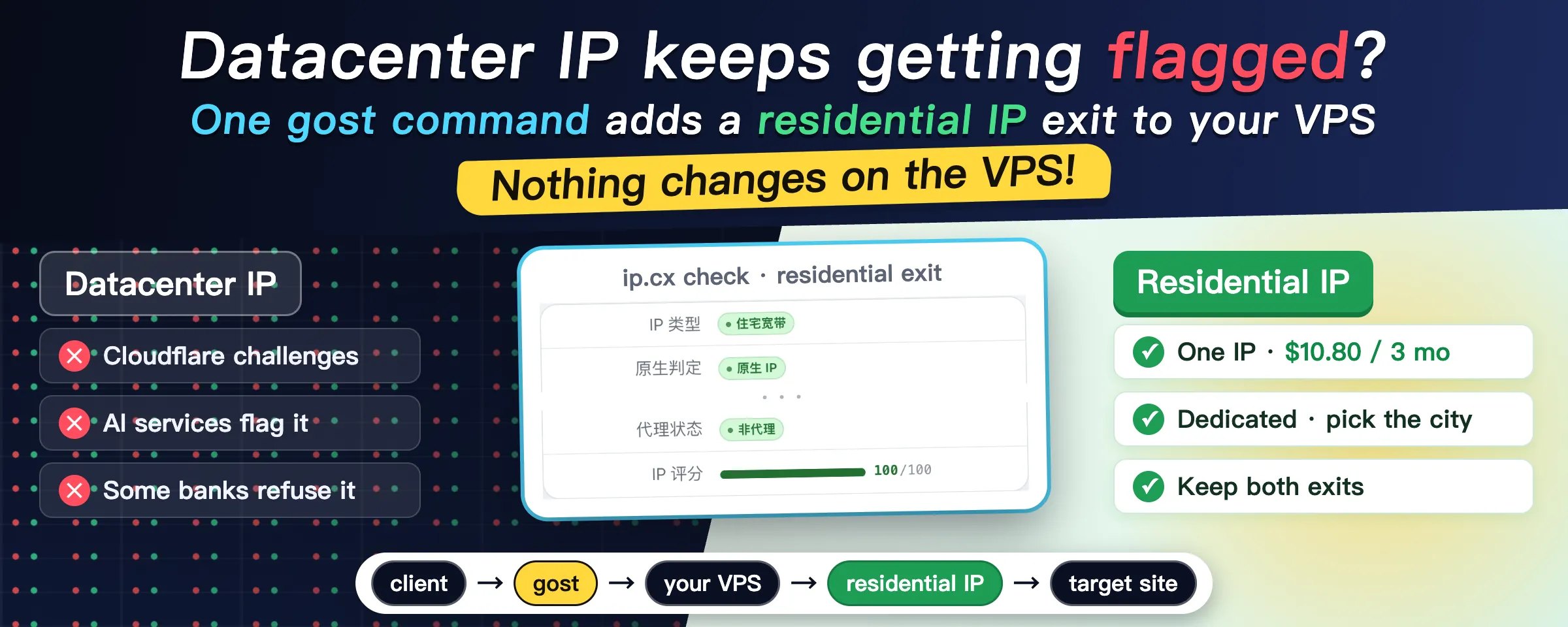
AI services want a stable, clean IP. Some banks and payment services go further and only accept a local residential IP. Cloudflare also challenges datacenter IPs more often.
Switching VPS providers does not help. Datacenter ranges are well known to every risk database, so a new box just gives you another flagged address.
I kept the VPS as it is and put a residential IP behind it as a second exit:
- I bought one residential IP, dedicated, 10.80 USD for 3 months.
- It is attached with a single gost command. Nothing changed on the VPS.
- The old exit keeps working. I switch to the residential one only for services that need it.
One command
gost chains several proxies into one path. -L is the entry, and every -F after it is one hop.
gost \
  -L "ss://<method>:<password>@:<new-port>" \
  -F "ss://<method>:<password>@<your-vps>:<port>" \
  -F "socks5://<user>:<password>@<residential-ip>:<port>"
The resulting path looks like this:
client ──> gost entry ──> your VPS ──> residential IP ──> target site (sees the residential IP)- The
-Lline opens a new entry, and your client connects to it like any other node. If you only need it on one machine,socks5://:1080is simpler. - The first
-Fis your existing node, so use its real protocol and address. The VPS only sees one more ordinary connection, so there is no config change and no restart. - The second
-Fis the residential IP you bought. That is the address the target site ends up seeing.
gost runs on your side: a laptop, a router or a home server all work. I run it as a container next to the forwarder I already had. The old node is untouched, and the client simply has one more node to pick.
Result
With the chain up, I checked the exit on ip.cx:
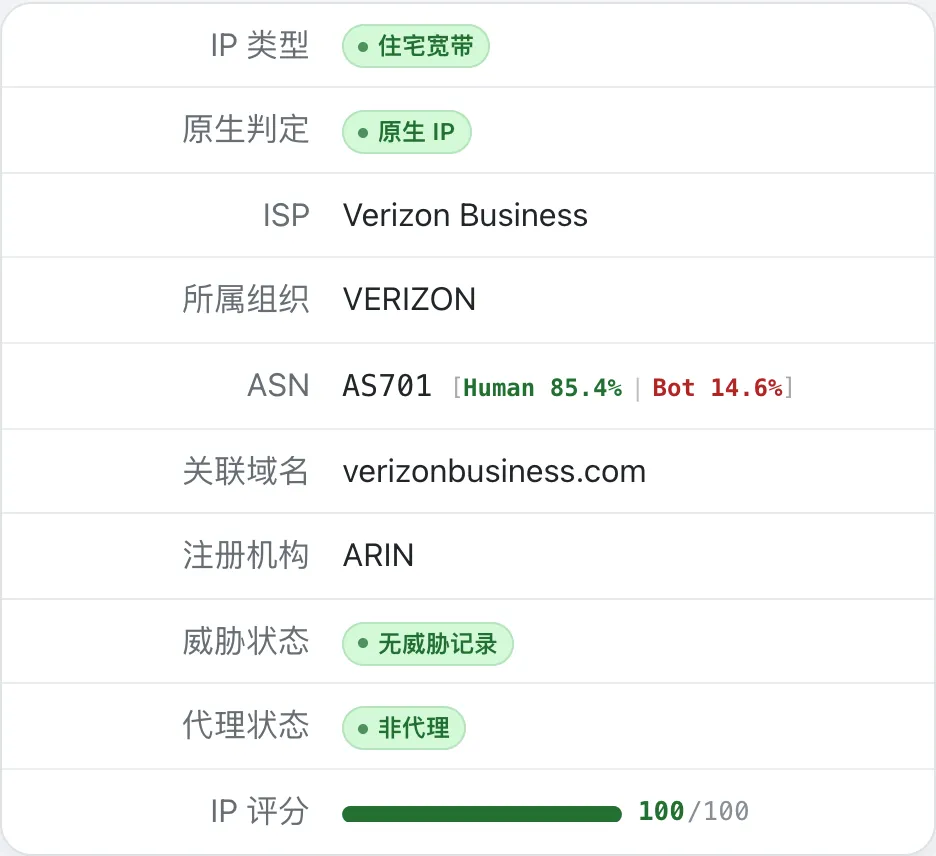
The IP type is residential broadband, it is classified as a native IP and not a proxy, the carrier is Verizon, and the score is 100/100.
Which residential IP to buy
I use the ISP proxies from IPRoyal, which some people call static residential proxies.
The main reason is that you can buy just one. Many providers sell packs of 10 or 20, and one exit does not need that many.
Mine is a dedicated IP, 3 months, located in the US, for 10.80 USD. Shared ones are cheaper, but an address that many people use for all kinds of jobs gets flagged sooner or later, and then it is no better than a datacenter IP.
You choose the country and the city. Pick the country your accounts are normally used from, and a city close to your VPS, otherwise the extra hop gets slow.
The VPS has no special requirements, so keep the one you have if it works. Mine is a BandwagonHost box in their California datacenter. I have used it for 3 years and it has been stable.
Watch out for
- Do not make the residential exit your default. An extra hop is always a bit slower, so send only the services that need a residential IP through it.
- Check the IP as soon as you get it, then again from time to time. A dedicated IP can still carry records from its previous user. If it is not clean, swap it in the provider’s dashboard.
How do you deal with flagged datacenter IPs? If you have a simpler way, reply and tell me.
The IPRoyal and BandwagonHost links are referral links. I get a commission if you buy through them, and the price you pay stays the same. I have used both services myself for a long time.